RUGER PC CARBINE TRIJICON RMR SIGHT MOUNT Safety Instruction Guide
Introduction
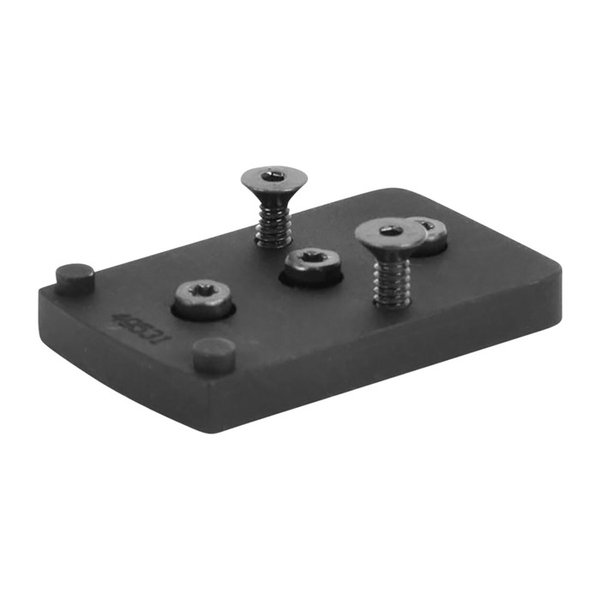
Thank you for choosing the RUGER PC CARBINE TRIJICON RMR SIGHT MOUNT. This guide is designed to provide you with essential safety instructions and installation guidelines in accordance with the EU General Product Safety Regulation (GPSR). Please read this guide carefully before using the product to ensure safe and proper use.
General Safety Guidelines
- Ensure that the product is used only for its intended purpose.
- Always follow the manufacturer's instructions for installation and usage.
- Inspect the product before each use for any signs of damage or wear.
- Store the product in a safe, dry place away from children and pets.
- Report any unsafe conditions or accidents to the appropriate authorities.
- Check for updates on product recalls through the EU's Safety Gate platform.
Specific Safety Precautions for Use
- This mount is specifically designed for use with Trijicon RMR and Holosun HS507C red dot sights.
- Do not attempt to use this mount with incompatible products, such as Rock Island 1911s.
- Ensure that the rear sight is completely removed before installing the mount to avoid damage to your firearm.
- Use the provided mounting hardware only; do not substitute with other screws or fasteners.
- When applying blue Loctite to the mounting screws, avoid overtightening to prevent damage to the mount or the sight.
- Always ensure that the red dot sight is securely attached to the mount before use.
Instructions for Installation and Usage
Remove the Rear Sight
- Carefully remove the rear sight from your firearm.
Install the EGW Sight Mount
- Place the EGW Sight Mount in the dovetail of your firearm.
- Ensure that it is aligned properly.
Tighten the Set Screw
- If applicable, tighten the set screw to secure the mount in place.
Attach the Red Dot Sight
- Place the red dot sight on the EGW Sight Mount.
- For easier removal, place a small piece of paper between the red dot sight and the mount to keep Loctite off the sight.
Apply Blue Loctite
- Apply blue Loctite to the provided mounting screws.
Torque Mounting Screws
- Use a torque wrench to tighten the mounting screws to 15 in/lbs.
Use of Flat Head Cap Screws
- The included screws require a 5/64'' allen wrench for installation.
Disposal Instructions
- Dispose of the product in accordance with local regulations.
- Do not dispose of the product in household waste.
- If the product is damaged or no longer in use, consider recycling materials where possible.
Contact Information for Further Support
For any inquiries regarding safety or installation, please refer to the manufacturer's contact information provided with the product packaging. Always ensure you have the latest information regarding safety and usage.
Thank you for your attention to these safety instructions. Proper use and care of the RUGER PC CARBINE TRIJICON RMR SIGHT MOUNT will enhance your experience and ensure safe operation.
 Help and contact





 Classical view
 Mobile view
