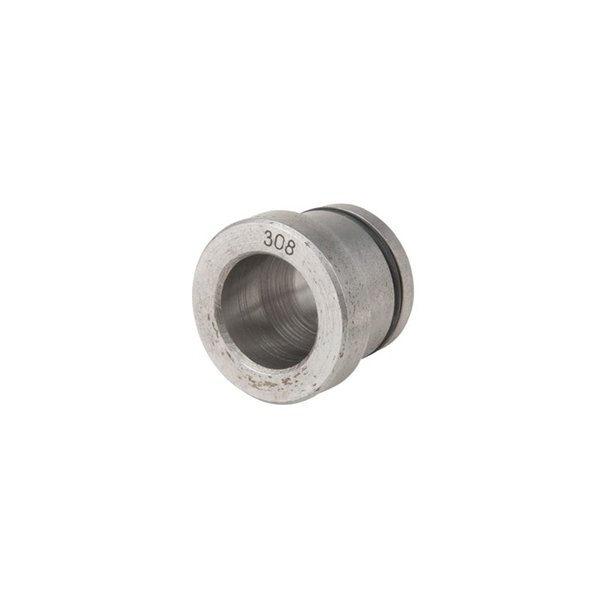
WFT 2 Trimmer Little Crow Gunworks Safety Instruction Guide
Introduction
Thank you for choosing the WFT 2 Trimmer by Little Crow Gunworks. This guide provides essential safety instructions and usage guidelines to ensure your experience with the product is safe and effective. Please read this manual carefully before using the trimmer.
General Safety Guidelines
- Ensure that the trimmer is used only for its intended purpose, which is trimming cartridge cases.
- Always wear appropriate personal protective equipment (PPE) such as safety glasses and gloves while operating the trimmer.
- Keep the work area clean and welllit to prevent accidents.
- Ensure that all tools and accessories are in good condition before use.
- Do not use the trimmer if it is damaged or malfunctioning.
- Store the trimmer and its components in a secure place, out of reach of children and pets.
- Follow all local regulations regarding the handling of ammunition components.
Specific Safety Precautions for Use
- Always ensure that the trimmer is securely mounted in a stable position before use.
- Do not attempt to modify or alter the trimmer in any way.
- Be cautious of sharp edges on the cutter and trim chambers; handle with care.
- Do not attempt to trim cases that exceed the specifications of the trimmer (up to 45 caliber).
- Avoid wearing loose clothing or jewelry that may become caught in the trimmer.
- If you experience any discomfort or abnormal noise during operation, stop using the trimmer immediately and inspect it for issues.
Instructions for Installation and Usage
Installation
- Ensure that you have a halfinch chuck to drive the trimmer.
- Place the trimmer on a flat, stable surface.
- Attach the trimmer to the chuck securely, ensuring it is properly seated.
- Verify that the cutter is properly installed before beginning to use the trimmer.
Usage
- Select the appropriate trim chamber based on the cartridge you are trimming. If unsure, refer to the cartridge compatibility list.
- Insert the cartridge case into the trim chamber.
- Adjust the cutter depth by placing a "master case" in the trim chamber, sliding the cutter up to the case mouth, and tightening the set screws.
- Turn on the chuck to begin trimming the cartridge case.
- Once trimming is complete, turn off the chuck and remove the trimmed case.
- For changing trim chambers, remove the cutter and use the provided knockout dowel to push out the trim chamber. Install the new trim chamber by aligning it on a flat surface and pushing the housing onto it.
Disposal Instructions
- Dispose of any damaged or worn parts in accordance with local regulations.
- Do not dispose of the trimmer or its components in general household waste.
- Contact local waste management authorities for proper disposal methods of metal and plastic components.
Contact Information for Further Support
For any questions or concerns regarding the WFT 2 Trimmer, please refer to the manufacturer's website or consult with a qualified professional.
By following these safety instructions and guidelines, you can ensure a safe and effective experience with your WFT 2 Trimmer. Always prioritize safety and proper handling when using this product.