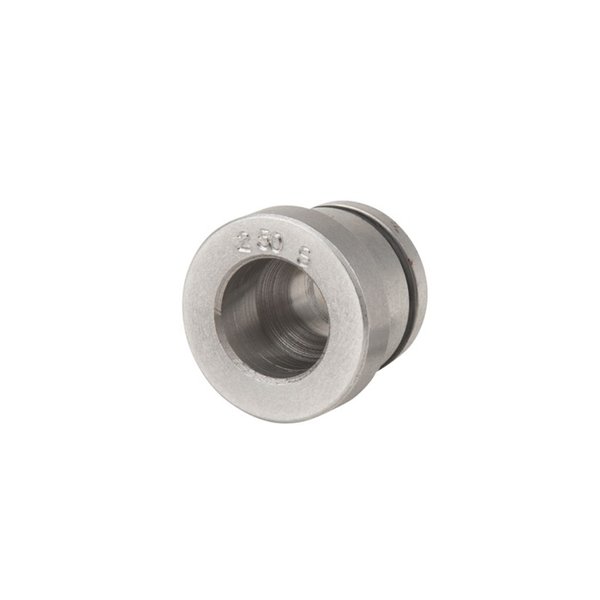
WFT 2 Trimmer Little Crow Gunworks Safety Instruction Guide
Introduction
Thank you for choosing the WFT 2 Trimmer from Little Crow Gunworks. This product is designed to provide precise trimming for your cartridge cases. To ensure safe and effective use of this product, please read and follow the safety instructions outlined in this guide.
General Safety Guidelines
- Always ensure that you are using the trimmer in a safe environment, free from distractions and hazards.
- Keep the trimmer and its components out of reach of children and vulnerable individuals.
- Use the trimmer only for its intended purpose as specified in the product documentation.
- Regularly inspect the trimmer for any signs of wear or damage before use.
- If you notice any unusual sounds or malfunctions during operation, stop using the trimmer immediately and seek assistance.
Specific Safety Precautions for Use
- Ensure that the trimmer is securely attached to a compatible halfinch chuck before operation.
- Always wear appropriate personal protective equipment (PPE), such as safety glasses and gloves, when using the trimmer.
- Be cautious when changing trim chambers; ensure the cutter is removed and the trim chamber is disengaged properly.
- Avoid placing hands or fingers near the cutter during operation to prevent injury.
- Do not attempt to modify or tamper with the trimmer or its components.
- Ensure that the work area is welllit to avoid accidents.
- Follow the manufacturer's instructions for trimming depth adjustments to maintain precision and safety.
Instructions for Installation and Usage
Installation of Trim Chamber:
- Place the trim chamber on a flat, stable surface.
- Align the housing of the trimmer with the trim chamber.
- Steadily push the housing onto the trim chamber until it fits securely.
Adjusting Cutter Depth:
- Insert a “master case” into the trim chamber.
- Slide the cutter up to the case mouth.
- Tighten the set screws to secure the cutter in place.
Trimming Process:
- Ensure the trimmer is securely mounted and powered.
- Feed the cartridge case into the trim chamber.
- Operate the trimmer according to the manufacturer's instructions to achieve a clean trim.
Changing Trim Chambers:
- Remove the cutter from the trimmer.
- Use the provided knockout dowel to push out the trim chamber.
- Follow the installation instructions to insert a new trim chamber.
Disposal Instructions
- Dispose of any packaging materials responsibly, following local recycling guidelines.
- Dispose of worn or damaged components in accordance with local waste disposal regulations.
- Do not dispose of the trimmer in household waste; check for designated electronic waste disposal facilities in your area.
Contact Information for Further Support
For any inquiries regarding the WFT 2 Trimmer or its safe use, please refer to the product packaging for contact details of the manufacturer or authorized distributor.
Conclusion
By following these safety instructions, you can ensure a safe and effective experience with your WFT 2 Trimmer. Always prioritize safety and consult the guidelines whenever necessary. Thank you for your attention to safety, and enjoy your trimming experience!