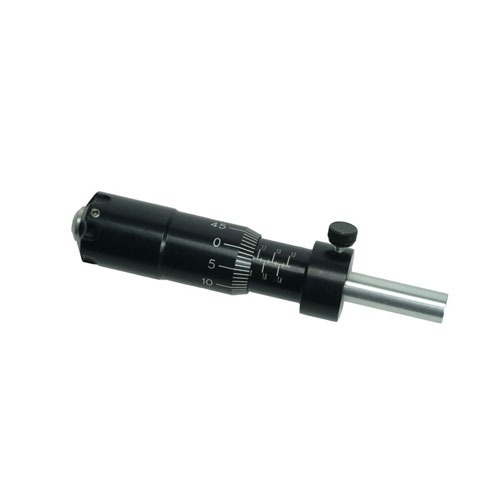
Safety Instruction Guide for Sinclair Trimmer Micrometer Attachment
Introduction
Thank you for choosing the Sinclair Trimmer Micrometer Attachment from Sinclair International. This guide provides important safety instructions and usage information to ensure the safe and effective use of your new product. Please read this guide carefully before using the attachment.
General Safety Guidelines
- Ensure that the product is used in accordance with the manufacturer's instructions.
- Always inspect the attachment for any signs of damage before use. Do not use if damaged.
- Keep the product out of reach of children and vulnerable individuals.
- Use the attachment only for its intended purpose as described in this guide.
- Be aware of your surroundings and ensure the work area is clear of obstacles.
- Wear appropriate personal protective equipment (PPE), such as safety glasses, when operating the case trimmer.
Specific Safety Precautions for Use
- Handle the micrometer attachment with care to avoid injury from sharp edges.
- Ensure that the micrometer is securely locked in place before trimming cases.
- Adjust the micrometer only when the trimmer is turned off and unplugged.
- Do not exceed the recommended case sizes (22 Hornet to 416 Rigby) for safety and optimal performance.
- If you experience any unusual noises or resistance during trimming, stop immediately and inspect the attachment.
Instructions for Installation and Usage
Installation
- Unpack the Sinclair Micrometer Attachment and check for all components.
- Ensure that your L.E. Wilson Case Trimmer is clean and free of debris.
- Align the micrometer attachment with the designated mounting area on the trimmer.
- Secure the attachment using the provided screws or fasteners, ensuring it is tightly fitted.
- Check that the micrometer can be easily adjusted and locked in place.
Usage
- Before trimming, select the desired trim length using the micrometer adjustment.
- Lock the micrometer in place to ensure accuracy during trimming.
- Insert the case into the trimmer and ensure it is properly positioned.
- Turn on the case trimmer and begin the trimming process.
- Once completed, turn off the trimmer and remove the trimmed case.
- Regularly check the micrometer setting if switching between different trim lengths.
Disposal Instructions
- Dispose of the Sinclair Trimmer Micrometer Attachment in accordance with local regulations.
- Do not dispose of the product in household waste. Check for recycling options in your area.
- Ensure that any electronic components are disposed of at designated ewaste facilities.
Contact Information for Further Support
For any safety inquiries or support regarding the Sinclair Trimmer Micrometer Attachment, please refer to the manufacturer's contact resources.
Important Notes
- Report any unsafe products or accidents to the appropriate authorities.
- Stay informed about potential recalls or safety alerts by checking the EU's Safety Gate platform.
By following these safety instructions, you can ensure a safe and effective experience with your Sinclair Trimmer Micrometer Attachment. Thank you for your attention to safety.