Help and contact
Attributes
- Delivery weight: 0,045kg
- UPC: 813157001888
Item details
Made in USA

 (0)
(0) 
Prices incl. VAT, plus delivery
Product no.: 336000038
Mfr. No.: GGG-1272
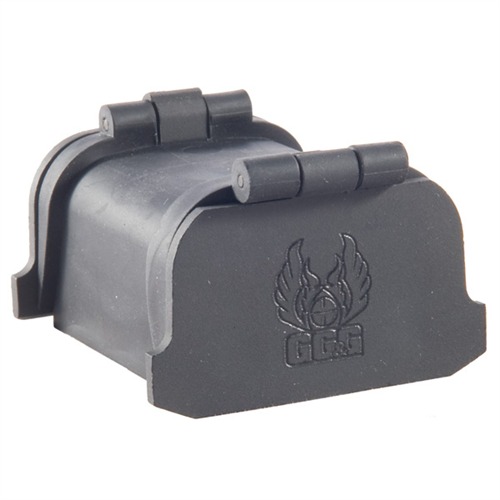
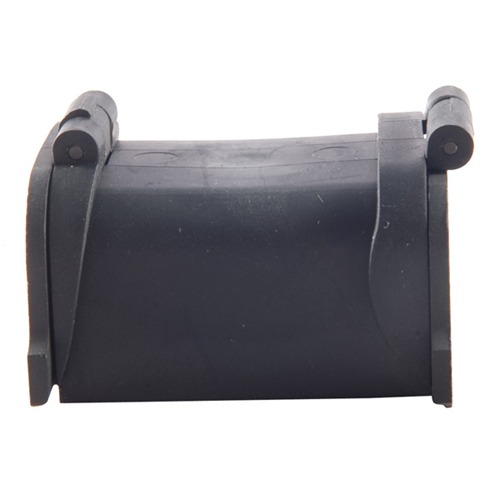
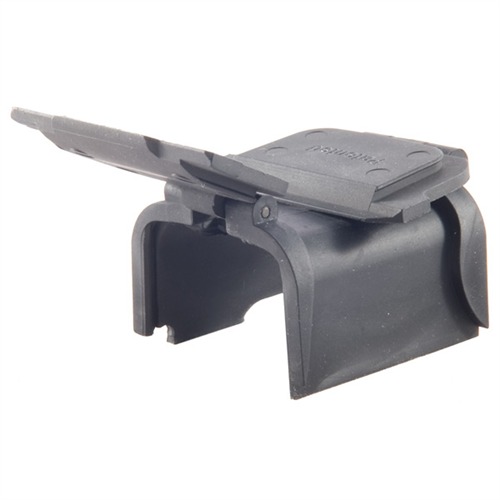
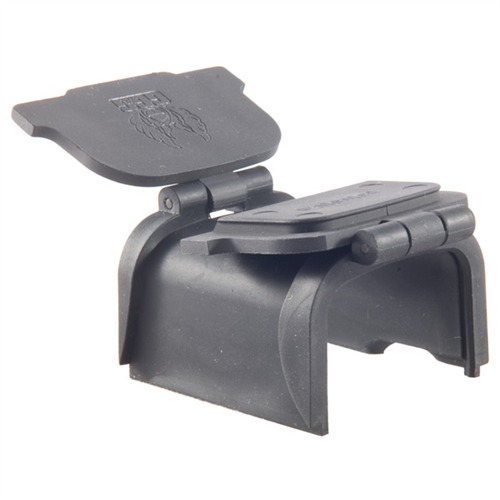
813157001888 Flexible rubber body with spring-loaded, ABS plastic covers help seal out dirt, dust and moisture to keep the lens surfaces of your EOTech holographic sight clean, scratch-free, and ready for use in all shooting conditions. Tabs on the right and left sides of the covers allow a fast, ambidextrous flip-open action with thumb or finger pressure. Front cover opens to near horizontal position to help block rain or sunlight. Rear cover folds back on top of the EOTech’s protective hood to ensure an unobstructed view through the sight. Body section installs under the EOTech protective hood, so it’s not even visible. Noise-absorbing neoprene pads dampen the sound of the rear lens cover contacting the hood during covert operations.
Delivery time approx. 7-14 days.
3 pcs. in the USA warehouse
SPECS: Rubber body, ABS plastic covers, neoprene pads, matte black. 1 oz. (28.4g) weight. Includes Torx wrenches for installation. XPS2/3 - 23⁄8" long, 2¼" (5.7cm) wide, 1½" (3.8cm) high. 1 oz. (28.4g) weight. Fits EOTech models XPS2 and XPS3 only.
We encountered an error while loading this content. Please refresh the page to continue. If the issue persists, contact our customer support.
to Brownells Europe, your destination for anything gun related. With our roots in a genuine passion for firearms, we bring you an unmatched selection of Gun Parts, Firearm Accessories, Gunsmithing Tools, Scopes & Red Dot Sights and Expert Knowledge.
Whether you're looking to maintain, repair, or upgrade, we've got what you need!
For Shooters, By Shooters
We share your enthusiasm and know exactly what you're looking for because we're part of the community.
Massive Selection
From the essentials to the unique, find everything under one roof.
Our blend of tradition and innovation
Shop with the convenience of modern technology, backed by a legacy of experience.
Browse our collection and discover why we're the trusted name in shooting sports & hunting.


 Classical view
 Mobile view