Help and contact
Attributes
- Delivery weight: 0,204kg

 (0)
(0) 

Prices incl. VAT, plus delivery
Product no.: 749101731
Mfr. No.: 303-3701
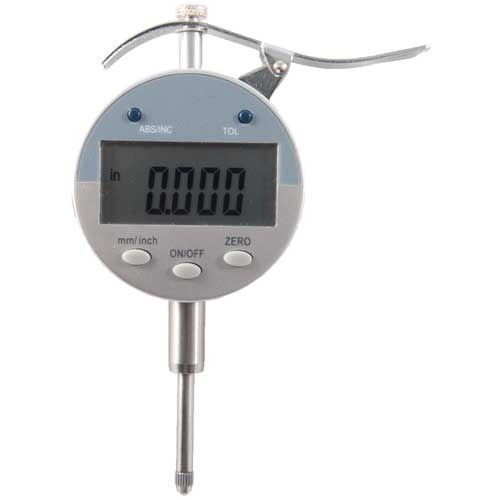
Accuracy 0.001" Features lever control for easy insertion and removal of items needing measured Comes with 11mm flat indicator tip Features absolute and incremental reading, one touch zero, & auto shut-off Intended for use with the Sinclair Bullet Sorting Stand but will work withany of our tools that utilize a dial indicator, including our neck turning adjustment fixture, concentricity gauge and both of our case neck thickness sorting tools Includes black case with protective foam insert.
Delivery time approx. 7-14 days.
More than 10 pieces in USA warehouse
Prices incl. VAT, plus delivery
We encountered an error while loading this content. Please refresh the page to continue. If the issue persists, contact our customer support.
to Brownells Europe, your destination for anything gun related. With our roots in a genuine passion for firearms, we bring you an unmatched selection of Gun Parts, Firearm Accessories, Gunsmithing Tools, Scopes & Red Dot Sights and Expert Knowledge.
Whether you're looking to maintain, repair, or upgrade, we've got what you need!
For Shooters, By Shooters
We share your enthusiasm and know exactly what you're looking for because we're part of the community.
Massive Selection
From the essentials to the unique, find everything under one roof.
Our blend of tradition and innovation
Shop with the convenience of modern technology, backed by a legacy of experience.
Browse our collection and discover why we're the trusted name in shooting sports & hunting.


 Classical view
 Mobile view