Help and contact
Attributes
- Delivery weight: 0,27kg
- UPC: 661120239062

 (0)
(0) 

Prices incl. VAT, plus delivery
Product no.: EU1001928
Mfr. No.: 123906
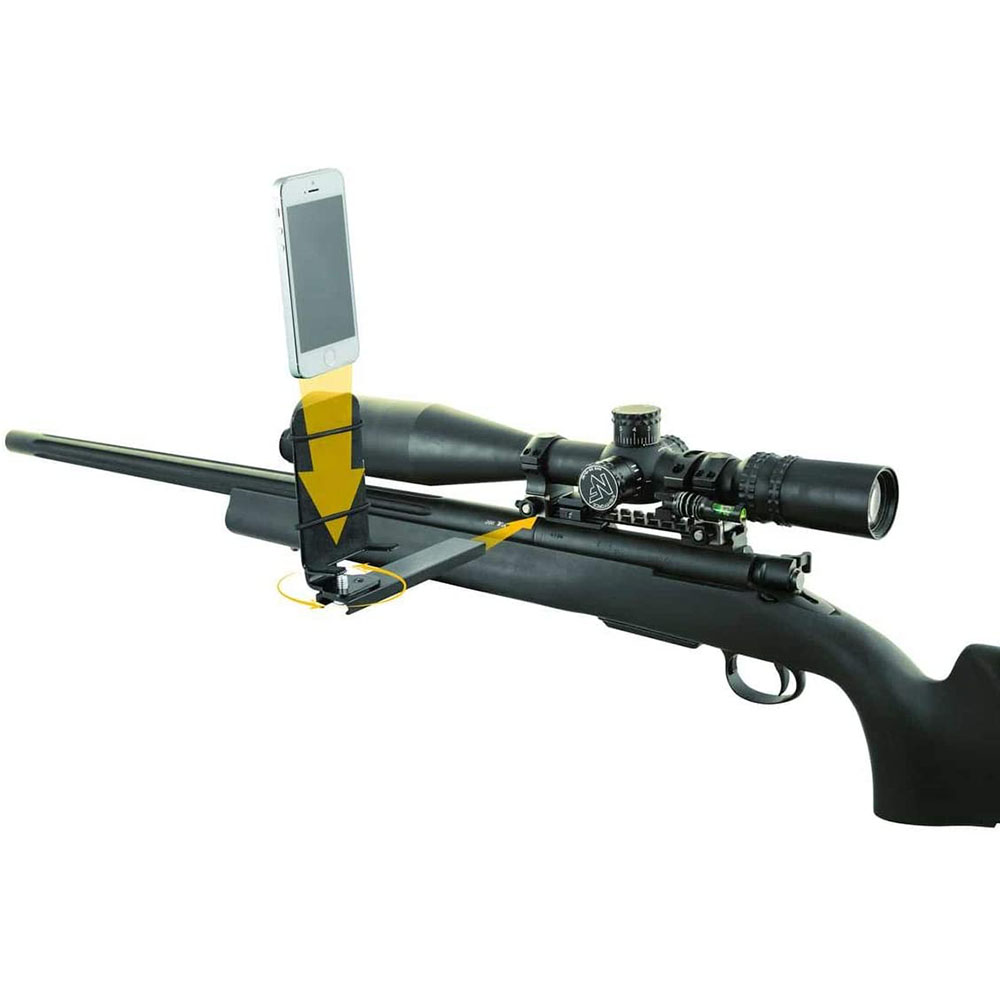
661120239062 The Caldwell® Pic Rail Phone Mount is designed to be used with most any smartphone, on any picatinny rail, as a camera or to display ballistics or other data when shooting or hunting. The unique, padded adapter allows virtually any smartphone to be used in or outside of a case in both portrait and landscape mode. Mount your smartphone for unique action footage or turn it around for third-person perspective shots. The detachable mount on the Pic Rail Phone Mount allows the bracket to be removed for carrying or transporting. The adjustable bracket with screws allows the camera angle to be easily adjusted and locked into place. The aluminum construction makes this mount extremely durable and easily resists recoil of even large magnums or shotguns.
Delivery time approx. 6-10 days.
only 5 pcs. in the Europe warehouse
We encountered an error while loading this content. Please refresh the page to continue. If the issue persists, contact our customer support.
to Brownells Europe, your destination for anything gun related. With our roots in a genuine passion for firearms, we bring you an unmatched selection of Gun Parts, Firearm Accessories, Gunsmithing Tools, Scopes & Red Dot Sights and Expert Knowledge.
Whether you're looking to maintain, repair, or upgrade, we've got what you need!
For Shooters, By Shooters
We share your enthusiasm and know exactly what you're looking for because we're part of the community.
Massive Selection
From the essentials to the unique, find everything under one roof.
Our blend of tradition and innovation
Shop with the convenience of modern technology, backed by a legacy of experience.
Browse our collection and discover why we're the trusted name in shooting sports & hunting.


 Classical view
 Mobile view