Safety Instruction Guide for the AR15 RAPTOR Charging Handle
Introduction
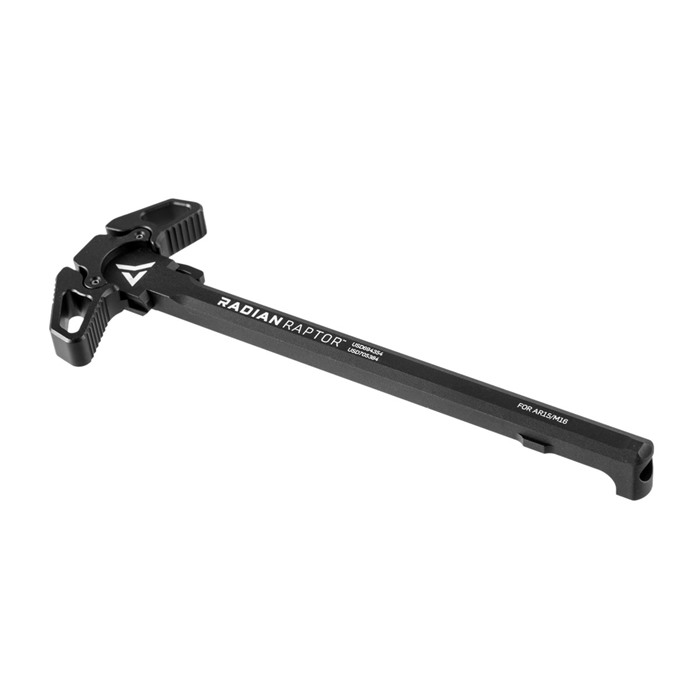
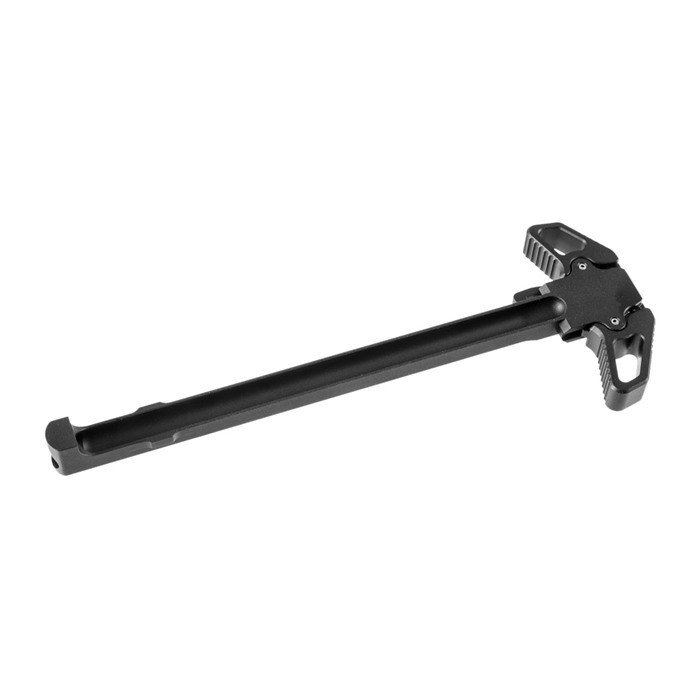
Thank you for choosing the AR15 RAPTOR Charging Handle by Radian Weapons. This ambidextrous charging handle is designed to enhance your shooting experience with its innovative design and functionality. To ensure your safety and the safe use of this product, please read and follow the guidelines outlined in this manual.
General Safety Guidelines
- Always treat the firearm as if it is loaded, even if you believe it is not.
- Ensure that the firearm is pointed in a safe direction at all times.
- Keep your fingers off the trigger until you are ready to shoot.
- Use appropriate eye and ear protection when handling firearms.
- Store the charging handle and all firearm components in a secure location, out of reach of children and unauthorized users.
- Regularly inspect the charging handle and other firearm components for signs of wear or damage before use.
- Report any unsafe products or incidents to the appropriate authorities.
Specific Safety Precautions for Use
- The AR15 RAPTOR Charging Handle is designed for use with AR15 platform firearms only. Do not attempt to use it with other types of firearms.
- Ensure that the charging handle is properly installed before use. A loose or improperly installed handle can lead to malfunctions.
- Be cautious when charging the weapon. Use the palm “blading” or finger thumb method as instructed to avoid injury.
- Do not modify the charging handle or any part of the firearm. Modifications may compromise safety and functionality.
- If you experience any malfunctions while using the charging handle, cease use immediately and consult a qualified gunsmith.
Instructions for Installation and Usage
Installation
- Ensure Safety: Make sure the firearm is unloaded and pointed in a safe direction.
- Remove the Old Charging Handle: If applicable, remove the existing charging handle by pulling it out of the receiver.
- Install the Raptor Charging Handle:
- Align the charging handle with the receiver.
- Slide it into place until it is securely seated.
- Test the Installation: Pull the charging handle to ensure it moves smoothly and is properly installed.
Usage
- To charge the weapon, use the following methods:
- Palm Blading: Place the palm of your hand against the charging handle and push back.
- Finger Thumb Charge: Use your thumb to pull the charging handle back while your index finger supports the front.
- Always ensure that your grip is firm and controlled while charging the weapon.
- After charging, be sure to check the chamber for any obstructions before firing.
Disposal Instructions
- Dispose of the AR15 RAPTOR Charging Handle in accordance with local regulations for metal waste.
- Do not dispose of the charging handle in regular household waste. Contact your local waste management facility for proper disposal methods.
Contact Information for Further Support
For any safety inquiries or concerns regarding the AR15 RAPTOR Charging Handle, please contact the manufacturer directly. Ensure you have the product information and any relevant details ready for a prompt response.
By adhering to these safety guidelines and instructions, you can ensure a safe and enjoyable experience with your AR15 RAPTOR Charging Handle. Thank you for your attention to safety.
 Help and contact








 Classical view
 Mobile view
